HomeDownloadHelp Us!FeaturesScreenshotsFAQDocumentationFutureWeb ButtonsChangeLogTranslations

TED Notepad

TED Notepad is a chrome-less freeware text editor. It offers 197 text-processing functions, innovative features and other advanced tools. All of them on hotkeys; all designed for quick advanced editing. This light-weight portable notepad replacement fits on any USB flash disk and loads instantly with no installation required.
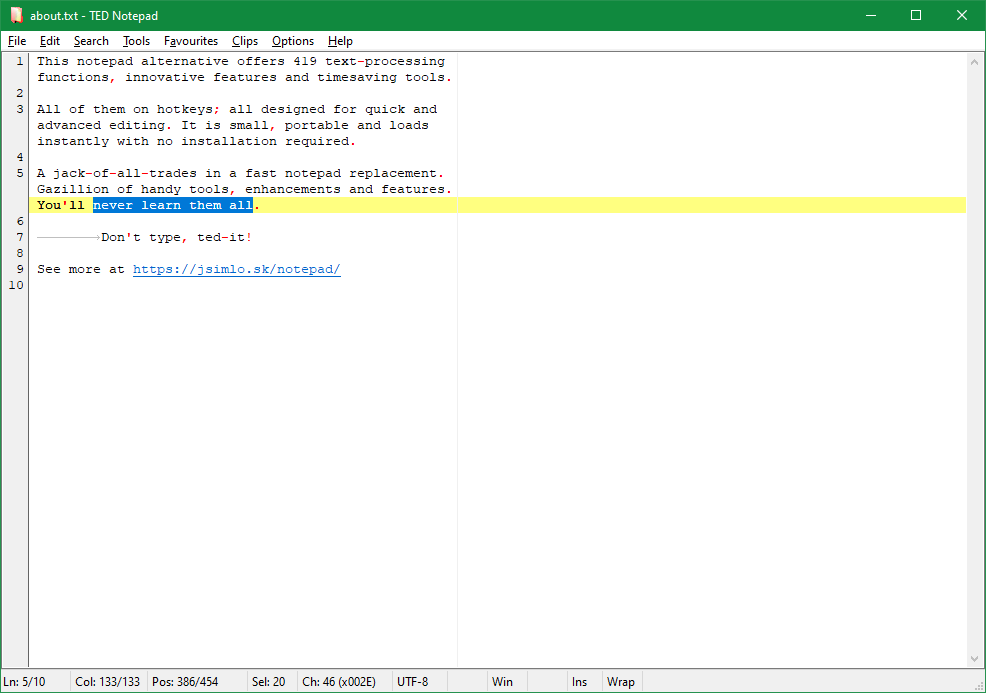
Get ready for a swiss-army-knife text editor: small and simple, yet full of hidden features, combinations, enhancements and tools. You will never learn them all. Don't type, ted-it!

Windows 7, Windows Vista, Windows 2008, Windows XP, Windows 2003, Windows 2000, Windows ME, Windows 98, Windows 95.

Version 5.4.2 Final. Jun 17, 2009. ChangeLog.

List of Features. How to Replace current notepad.

Don't type, ted-it? What does that mean?

TED Notepad is a chrome-less text editor. There are no toolbars, no sidebars, no fancy-looking gadgets. However, there is a large variety of features, settings and text-processing tools that could bring your typing, text-working or coding to the next level:

As it is, TED Notepad is particularly targeted to advanced users with non-trivial demands and tasks. To discover its true power, you might need to learn a thing or two. Once you do, you won't type, you'll ted-it..

Several innovative auto-completions at hand

Word auto-completion is based on dictionary of the current document. There is no point in creating big user-specific dictionaries and then browse through all the possible words. It's even better the other way, because while the list of document words is usually small, TED Notepad can effectively auto-expand words to common continuation before it bothers you with dialogs and lists of all plausible suggestions.

More innovative line auto-completion is based on lines of the current document. This feature offers you to auto-complete beginnings of frequent lines, including indentation, punctuation and other characters. If you are creating lists or source code, your lines often begin the same and line auto-completion can ease the usual copy-pasting practice.

Webmasters may find useful the HTML/XML Tag generator. It can nicely help completing the < > angle brackets and the closing tag.

More or less clipboarding

9 permanent clipboards can hold phrases you type often, saving the main system clipboard for other use. What's even better is that these phrases are being remembered even when you shut down the computer.

Addictive Swap clipboard feature provides a solution to move phrases around using the main system clipboard: It swaps the content of the clipboard and the actual selection.

Enhanced searching/replacing

You can search over multiple lines, easily defining searching phrase containing newlines. Find Selected and Find Later features offer a quick way to start such a search. You can also choose to remember the current search between sessions.

Innovative Second search is also available, if you'd like to search for two things at the same time. Fancy Select to Next feature helps you to quickly select any text up to the next occurrence of the searched phrase.

Swiss army knife for your text and code

  • Choose from variety of text case conversions. Capitalize words, sentences or entire selection.
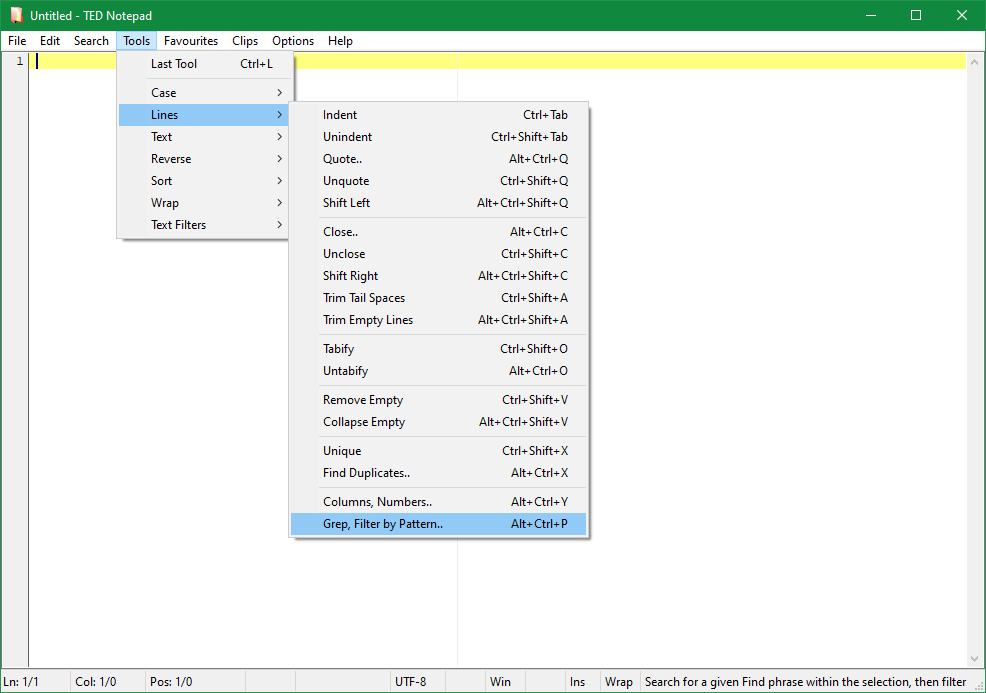
  • Use Indent/Quote selection tool to quote your e-mails or indent source code. Easily add tags before every line. Use similar Close lines tool to finish every line. Use variety of Unindent/Unquote selection tools to remove any indentation or quoting from e-mails or to trim trailing spaces.
  • Try Tabify/Untabify tools, when troubled with indentation. All the leading white-spaces can be automatically rearanged by a single tool, while leaving other spaces alone.
  • New Cut Columns, Add Numbers tool is quite desriptive by its name. You can take the lines, cut their parts, add line numbers to them or any other text.
  • Try the Enclose selection tool or XML/HTML Tag tool for enclosing selected phrases quickly with defined phrases/tags. Quite useful for emphasizing several parts of text within an html file.
  • Tease your friends by sending them an email reversed. Reversing tools will help you out. There are 6 types of different reversing algorithms.
  • Have a list with duplicate entries? Unique lines tool offers a good solution to remove or count the duplicates.
  • Want to remove empty lines? Try Remove Empty Lines tool..
  • An ultimate text Sorting tool will help you to sort by anything. Sort by a specific column within a wide comma-separated list, or just sort lines simply as they are. Sort alphabetically or even as numbers.
  • Commit actual Word Wrapping according to current window size to permanently format your text for e-mails. Unwrap paragraphs to undo the word wrapping from e-mails you have received.
  • Need to repair encoding of several locale characters? No problem. Define the translation table for Translate Characters tool. Want to replace many occurrences at once in a very big file? Extended Replace tool provides the best and quickest way.
  • Include/Exclude text from/to files. Split your document into several files with no need to copy and paste its sections. Merge several documents easily using the same way.
  • Advanced Filters/Viewers architecture provides a very good place to use your own plug-ins, tools and applications to process the text. Do you need regular expressions, grep, sed, cut, dir, etc.? Take any console application or make one for your self, define its parameters as variables and then execute on a selection. TED Notepad will ask for the variables defined to run the application, pipe the text and gather the results. Do not hesitate, grep your lines.

Even more gadgetry

  • The maximum of hotkeys. Every single action has its hotkey to enhance your work. Quite favorite Exit by Esc hotkey is included as well.
  • Favourites menu and Recent files menu may assist you to easily keep many important documents at hand all the time.
  • Optional auto-save feature is available as well as watching for modifications of the opened file.
  • Extensive text statistics keep it clear. Calculate, how many words, sentences, paragraphs, lines or characters you have just typed.
  • TED Notepad can store its settings to an INI file and can be ran from any USB flash drive. It does not need any libraries or specific installations. Just take the exe and ini file with you anywhere.
  • ANSI, both Unicode and UTF-8 file types are fully supported. Transparent UNIX and Mac file types handling may become a "must-have" feature, once you want to view or edit UNIX/Linux/Mac files. Partial Binary files support is also available.
  • Supports bi-directional editing and all Unicode characters. Tested with Chinese, Korean, Japanese, Russian, Bulgarian and Arabic languages.
  • Plenty of view-scrolling hotkeys offer a very good place to move the view around. Advanced Go to dialog can jump relatively and/or select text along the way.
  • Easy Smart Return helps you to automatically indent the text or a source code or lists. You can turn the auto-indent on/off, and still be able to use it through Ctrl+Enter.
  • Nice Select Word feature helps you to select and move the selection across words more precisely than by using standard keyboard arrows. Delete/BkSpace Word/Line features help you to delete them.
  • Several nice command line parameters provide an extra space for opening a file at exact position as a result of compilation error. Other parameters are designed to improve application start-up and loading its settings.
  • .LOG logging feature from original Windows Notepad, usually not supported by other notepad replacements at all. Automatically adds current date and time to the end of the document.
  • The application can Stay on Top of other windows or go to System Tray icon.
  • Drag & Drop feature supports dropping multiple files. In such case, all the files are joined into one document.
  • A lot of settings and options, including customizable Dual font support, Status Bar with actual cursor position and other document info, persistent window placement, tab stop values, open/save dialog filters, default file type, etc.

TED Notepad is well acknowledged

nonags.com editors' rating: 6/6 SOFTPEDIA 100% CLEAN AWARD freeware-guide.com: Top 10 Freeware
Softonic.com editors' rating: 9/10 Selected as Pricelessware
LockerGnome.com recommended FreewareFiles.com editors' pick BrotherSoft.com editors' rating: 5/5
NewFreeDownloads.com editors' rating: 5/5 GetABest.com editors' choice: 5/5 FilesLand.com editors' rating: 5/5
BestFreewareDownload.com editors' rating: 5/5 FreewareWeb.com editors' rating: 5/5 BestSoftware4Download.com editors' rating: 5/5
DownloadPipe.com editors' rating: 5/5 BestVistaDownloads.com editors' rating: 5/5 SoftPlatz.com editors' rating: 5/5
SoftSoft.ru editors' rating: 5/5 Software.com editors' rating: 5/5 FileOasis.com editors' rating: 5/5
ROSoftDownload.com editors' rating: 5/5 FreeDownloadManager.org user choice: 5/5 FileTransit.com editors' rating: 5/5 Soft82.com editors' rating: 5/5
SoftLandMark.com editors' rating: 5/5 FileAward.com editors' rating: 5/5

And more..


Site made with TED Notepad
Big "thank you" to all donations, suggestions, support, feature requests and bug reports.
Copyright (c) 2001-2009, Medvedik, Juraj Simlovic. Contact: notepadjsimlo.sk. All rights reserved.
Design (c) 2008-2009, Juraj Simlovic. Site made with TED Notepad. Request took 0.1527 sec.